You can pair Biscuits Bundles with a gift shipping app so a customer builds a gift box bundle once, then sends it to many addresses in a single checkout. Biscuits Bundles controls what goes in the box. The gift shipping app controls who receives it and where. This guide uses Send To Many as the example, and the same checks apply to any similar multi-address app.
Note: Other apps' menus, settings and steps change over time and are outside our control. Anything can also change between an app's releases and your own store settings, so a pairing that works on one store can behave differently on another. Always run the test order below on your store before you launch, and contact the gift shipping app's support for anything specific to their app.
Biscuits Bundles builds the gift box: which products the customer can pick, quantity limits, and the bundle's price as one unit. Stock comes from the component products, so components do not oversell.
The gift shipping app takes over at the cart: it collects a delivery address and gift message for each recipient, takes one payment, and then creates a separate Shopify order for each destination.
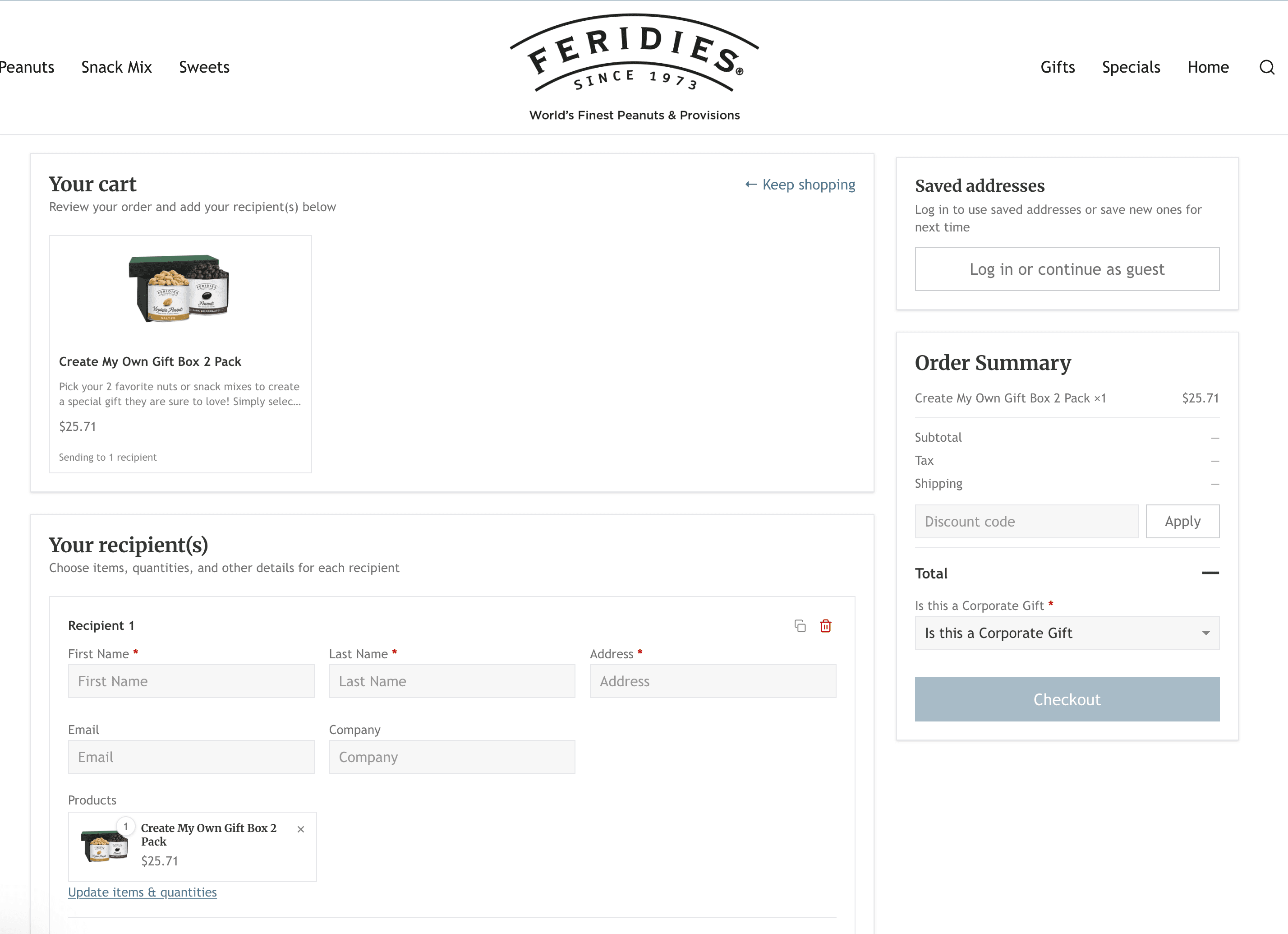
A build-your-own gift box built with a bundle builder, from Send To Many's write-up of the pairing.
The customer's selections are recorded as line item properties on the bundle line item.
At checkout the bundle becomes its component products, which are what is actually purchased. On the order, the components appear as line items and the bundle's line item properties identify what belongs together.
For the pairing to work, the gift shipping app must carry those line item properties through to the recipient orders it creates. Send To Many has a setting for this, and it is the single most important thing to verify on your store.
Build your gift box bundle in Biscuits Bundles as normal, then confirm it works on its own with a standard single-address order.
In Send To Many's settings, turn on the option that carries cart line item properties through to payment and recipient orders. See Send To Many's documentation for where the setting lives.
On the storefront, the customer adds the bundle to the cart and chooses to send it to multiple recipients.
The customer enters each recipient's address and gift message, one by one or with a spreadsheet upload for larger lists.
The customer pays once. Send To Many records the payment on one parent order and creates one recipient order for each destination, each with its own address, gift message and tracking.
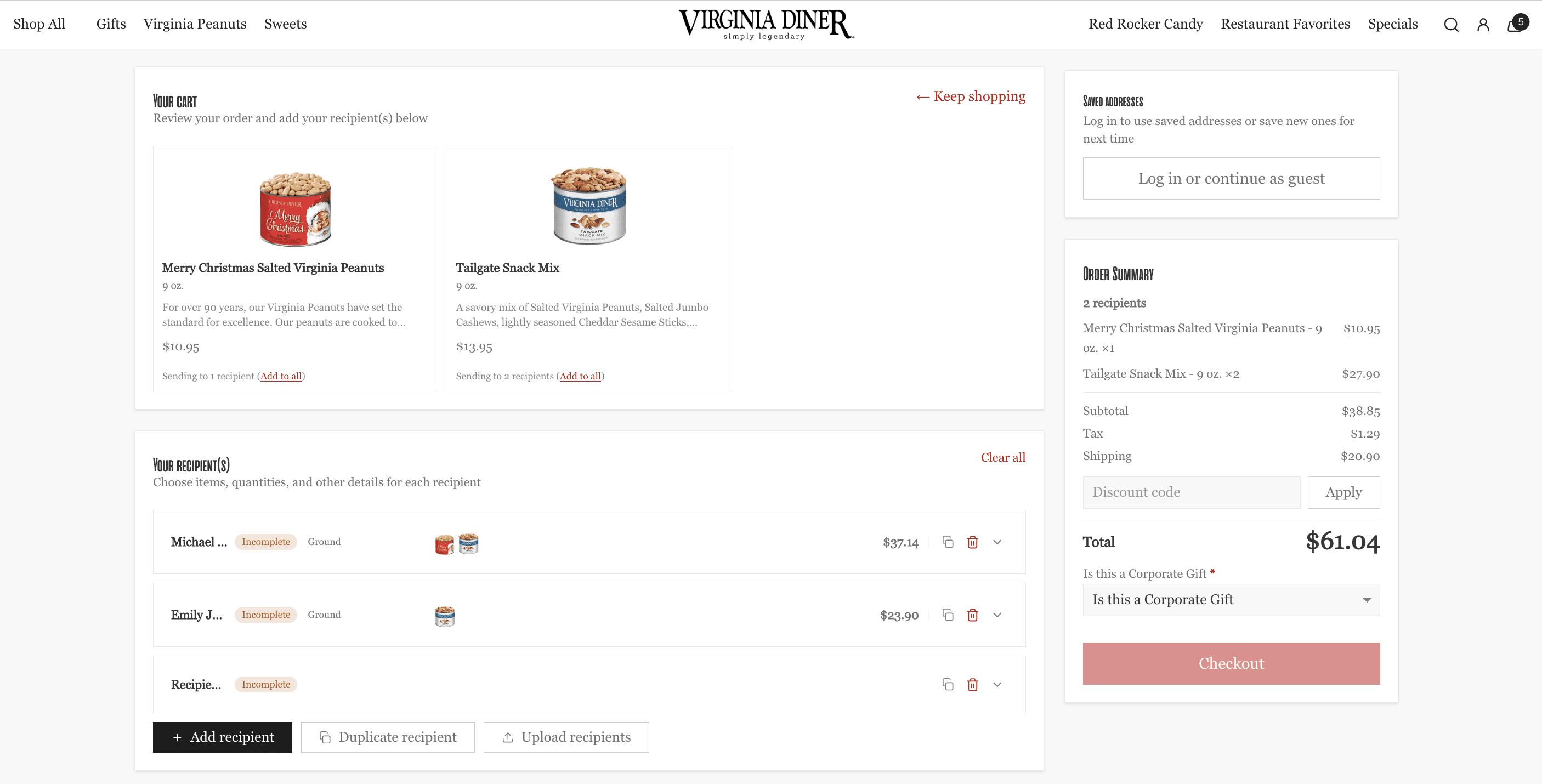
A multi-recipient gifting page, from Send To Many's write-up of the pairing.
Send To Many also has a staff order entry mode, so your team can build the same bundle and enter recipients for a customer over the phone.
Run one full test before you sell:
Place a test order with a bundle going to at least two recipients.
Open each recipient order in Shopify admin. Check the components, quantities and line item properties came through correctly.
Check the money: the bundle discount on the paid order, and what each recipient order shows.
If you want different recipients to receive different bundle contents, test that specifically. Do not assume it works.
Check the shipping rates charged for each destination match what you expect.
If you use a 3PL or fulfilment app, confirm it picks up the recipient orders with the component detail it needs.
Biscuits Bundles records a bundle sale from the order created at your checkout. The recipient orders are created afterwards by the gift shipping app, and they are unlikely to appear as bundle orders in your Biscuits analytics. After your test order, open the app's Analytics page and check which orders were counted, so you compare reports correctly and do not count one sale twice.
If you use another gift shipping or multi-address app, ask their support these questions first:
Does the app carry cart line item properties through to the orders it creates for each recipient?
How does it create recipient orders, and what appears on them?
Does it change line items or quantities when it splits an order?
Then run the same test order checklist above.
How to send Shopify gift boxes to multiple addresses on our blog walks through the customer experience in more detail.
Send To Many on the Shopify App Store and Send To Many's documentation.
Send To Many's own write-up of the pairing: How specialty food brands handle gift bundles.