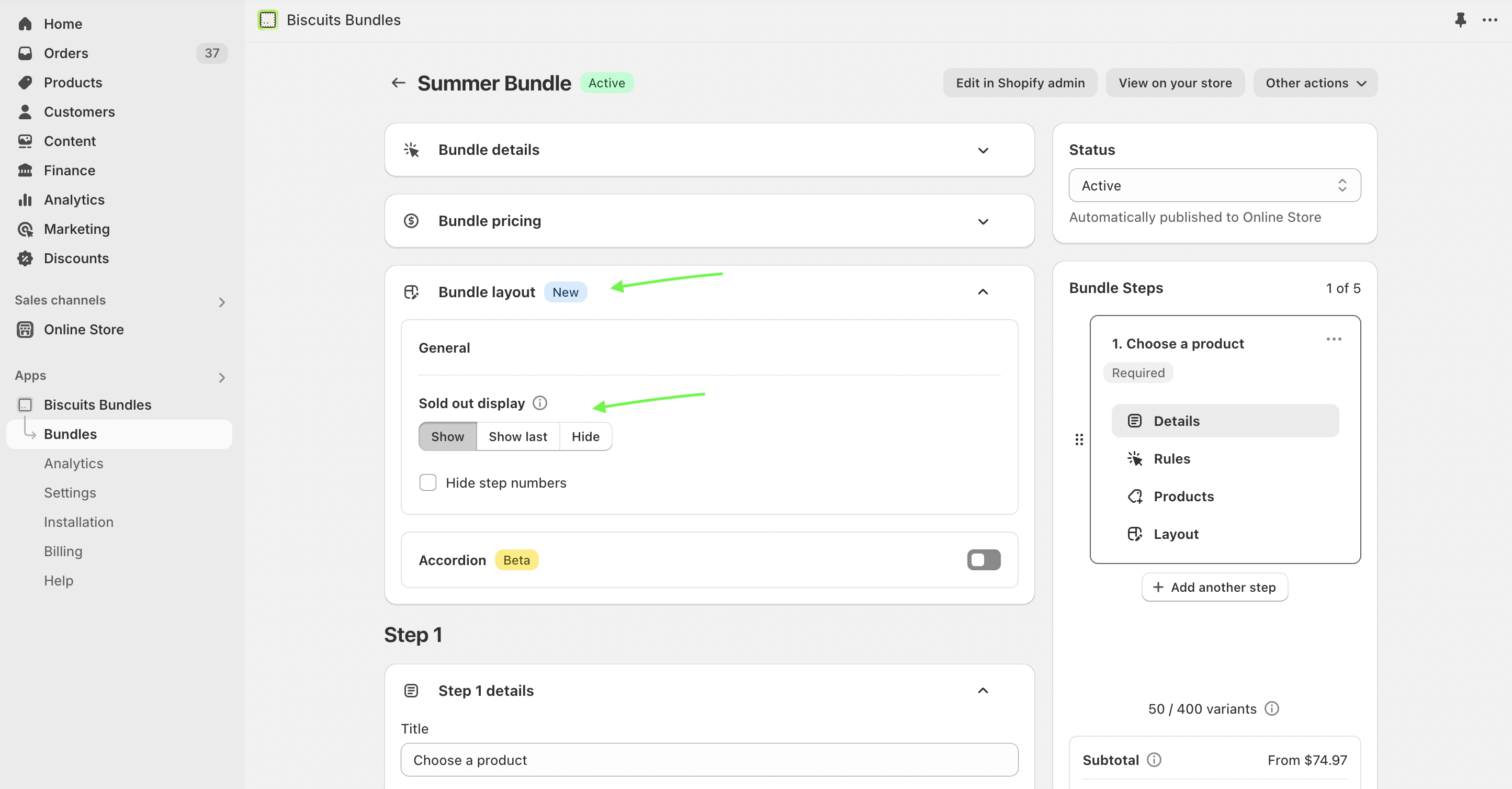
Heads up: this guide covers the older method. The current way to show, reorder or hide sold-out products is in your bundle's Bundle layout > General settings.
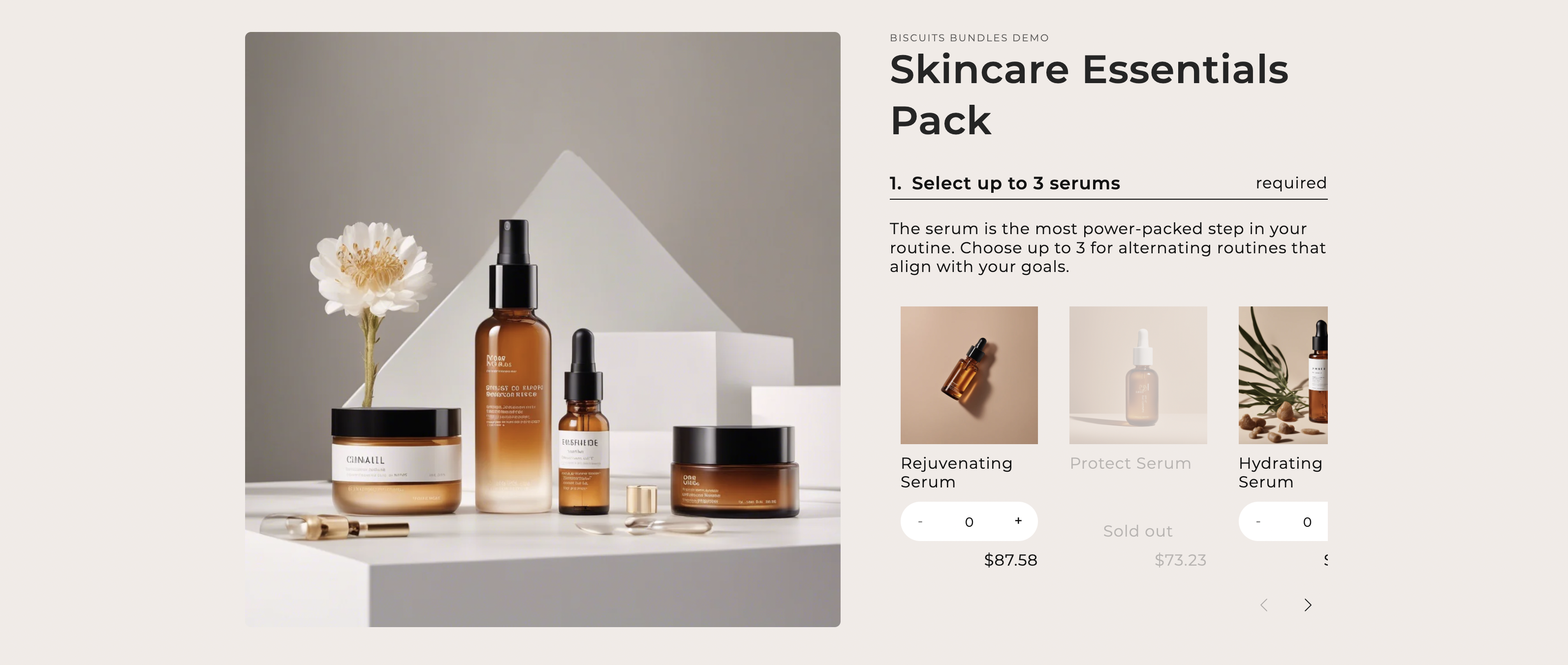
Biscuits Bundles frontend UI displaying a soldout variant grid item.
❗ Heads up:
We’ve retired this guide. Support for show/hiding and reordering sold out product cards is now offered as a feature inside the Biscuit Bundle app. Learn more here: Bundle Layout Settings
You can now choose the display setting for sold out product cards inside the Bundle Layout settings of a bundle.
In this guide we will customise Biscuits Bundles App to re-order/hide sold out grid items.
What this custom code will change:
Add custom css to change the look/position of sold out grid items
By default Biscuits Bundles displays sold out products in their original order from the bundles admin, however they are greyed out and un-clickable.
If you would like to hide your sold out grid items follow these instructions:
If you would like to reorder your sold out grid items follow these instructions:
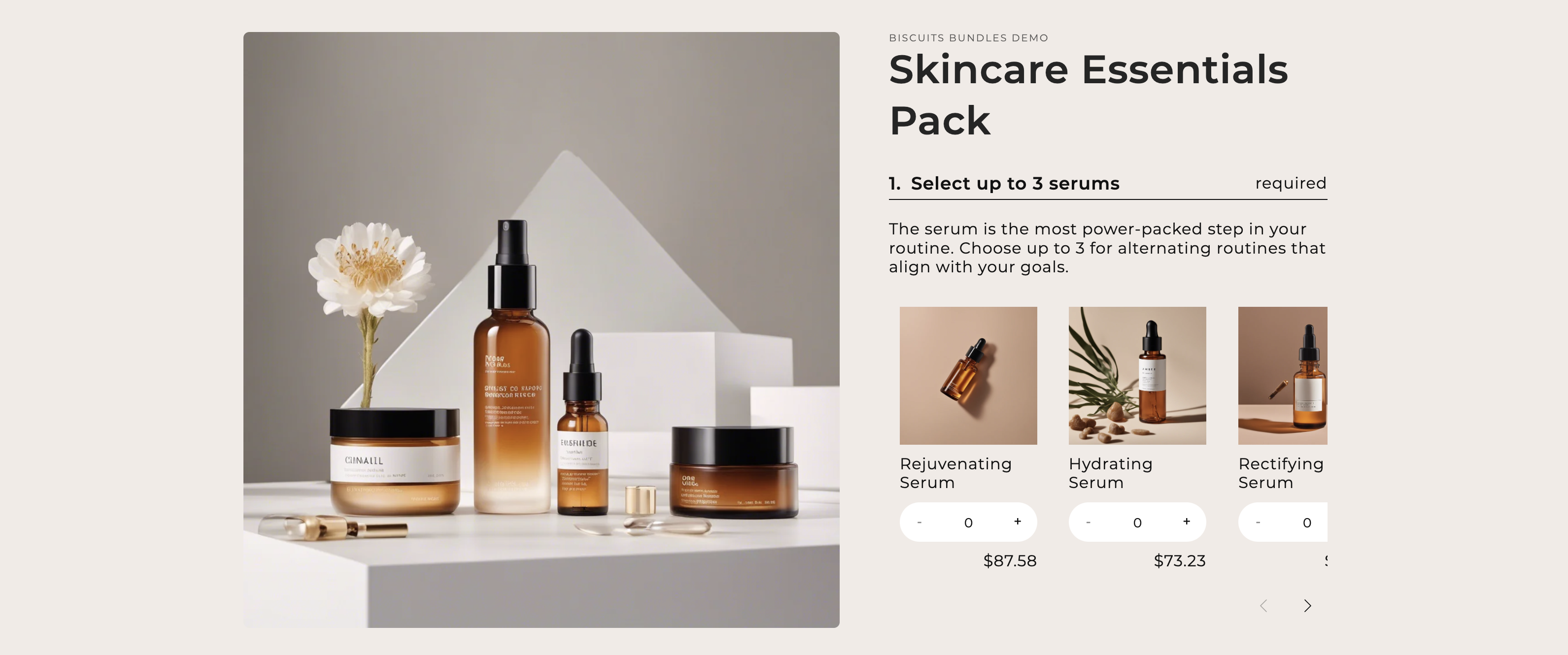
Biscuits Bundles admin UI hiding any soldout variant grid items.
We can use the CSS Variable --biscuits-soldout-display to tell Biscuits app block to hide all sold out grid items by setting it to none.
CUSTOM CSS CODE
#shopify-block-#{{block.id}} .biscuits-bundle-form {
--biscuits-soldout-display: none;
}
To learn more about Biscuit Bundles CSS Variables visit
Paste your edited code into the custom CSS field in the biscuits bundle app block
If you need help finding where this is follow this guide.
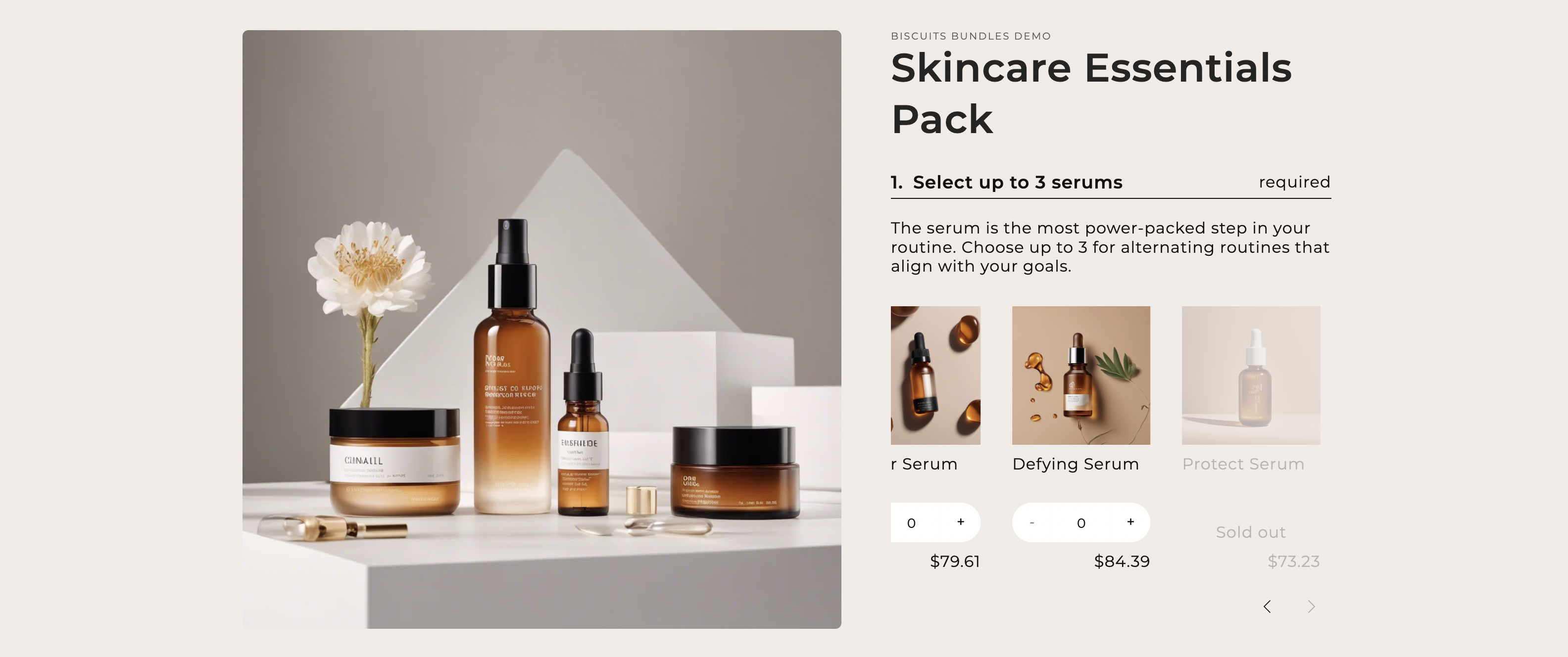
Biscuits Bundles admin UI displaying a soldout variant grid item at the end of the steps slider.
We can use the CSS Variable --biscuits-soldout-order to tell Biscuits app block to order all sold out grid items to the end of the grid/slider.
CUSTOM CSS CODE
#shopify-block-#{{block.id}} .biscuits-bundle-form {
--biscuits-soldout-order: 2;
}
This uses flex box property order to move all sold out grid items to the end of the list.
To learn more about Biscuit Bundles CSS Variables visit
Paste your edited code into the custom CSS field in the biscuits bundle app block
If you need help finding where this is follow this guide.
Always thoroughly test your custom JS to ensure if behaves as expected across all supported browsers and devices.
Could not display content