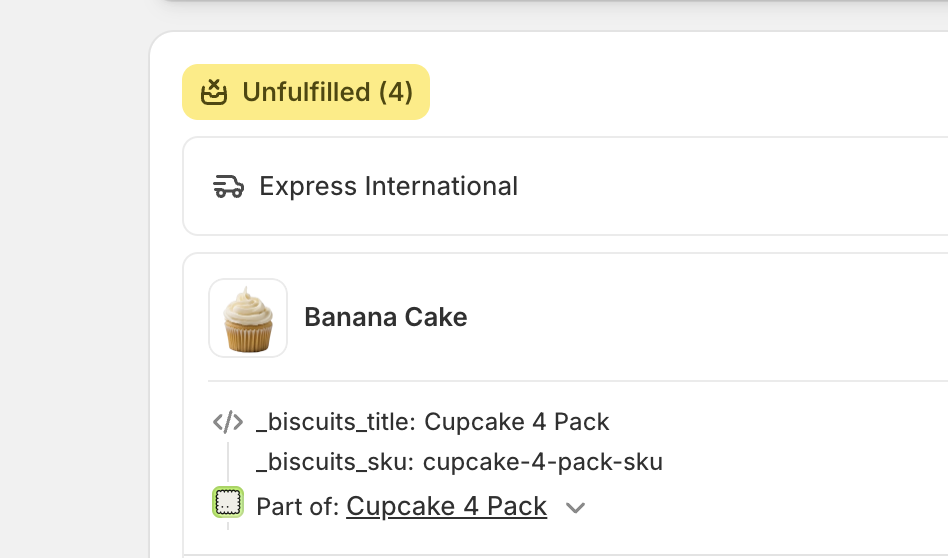
When a bundle is purchased, only the component products appear on the order, not the bundle parent. This article explains how to tell which line items came from a bundle (and which belong together) using the _biscuits_title and _biscuits_sku line item properties, how Shopify's own bundle grouping differs from those properties, and how to export this information with Shopify or Matrixify.
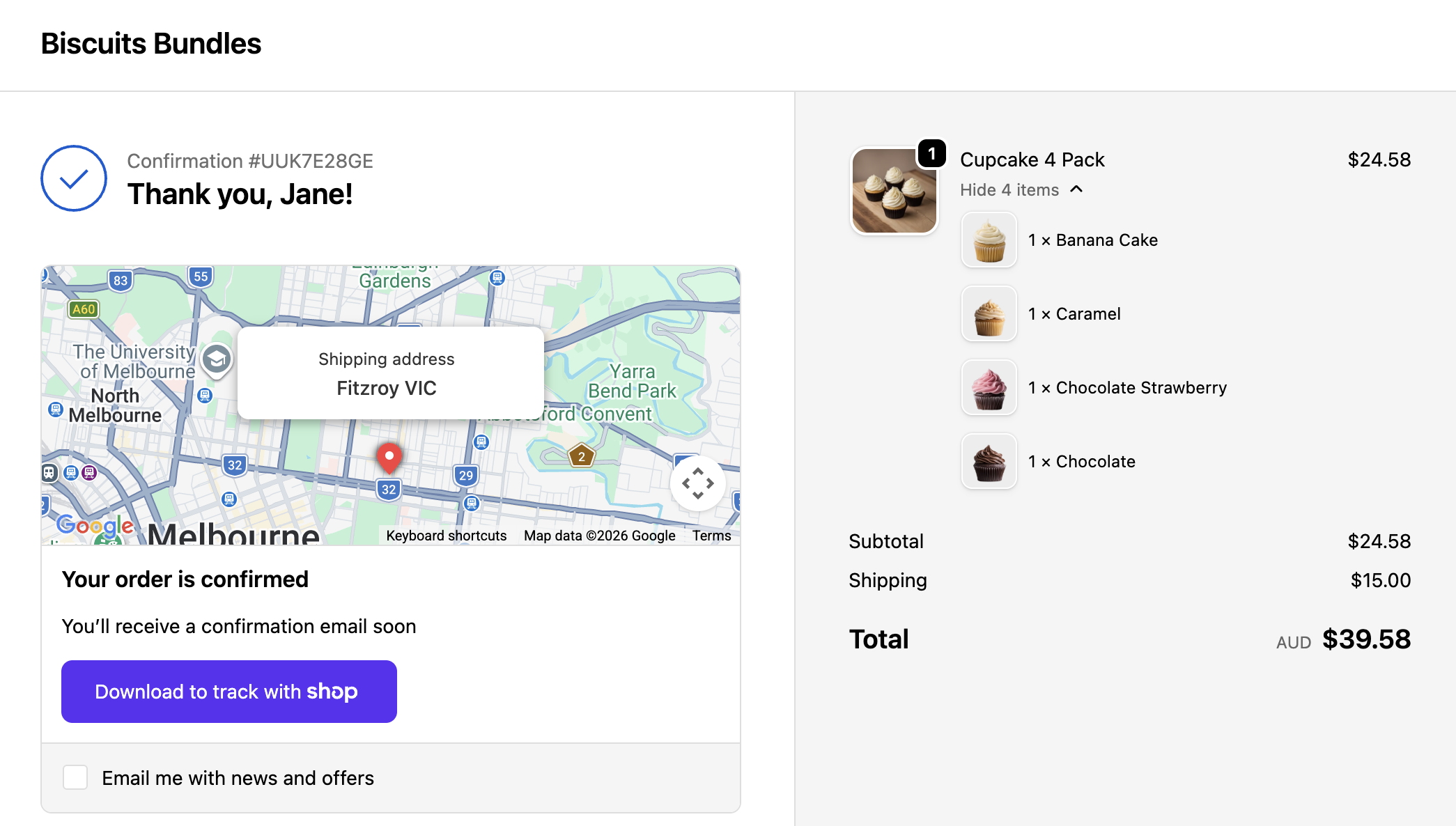
Biscuits Bundles uses Shopify's native Product Bundles feature. When a customer buys a bundle, Shopify 'expands' it at checkout: only the individual component products are actually purchased, and they appear as separate line items on the order. The bundle parent product itself never appears on the final order.
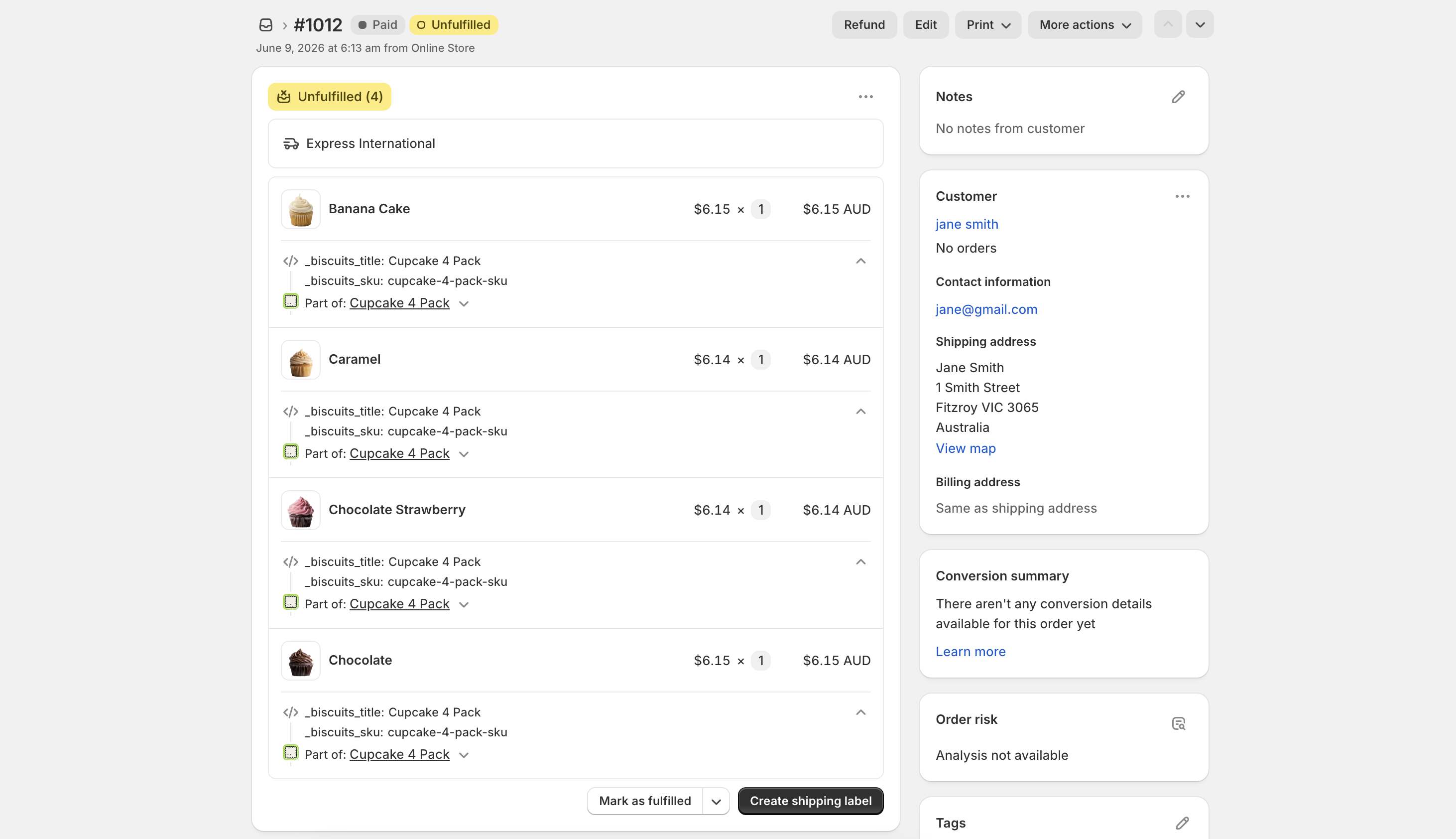
Because the parent isn't on the order, you need another way to tell which line items came from a bundle, and which components belong together in the same bundle.
Two independent mechanisms give you this:
Biscuits line item properties (_biscuits_title, _biscuits_sku), added by the app to every component.
Shopify's native bundle grouping (a 'line item group'), added by Shopify because a bundle was purchased.
These overlap but are not the same thing. The rest of this article covers each, and which one to rely on when exporting.
Related reading: How does inventory work with Product Bundles? and How to enable Line Item Properties to pass through onto bundle components.
When a bundle has a discount, especially a volume or quantity-break discount, you might notice that the component line items are not all priced identically, even when they are the same product. Sometimes a single unit is even split onto its own line at a slightly different price. This is expected, the bundle total is always correct, and nothing is mispriced.
Biscuits uses Shopify Bundles (Cart Transform) which applies your discount to the bundle as a whole, not to each item one by one.
When Shopify expands the bundle into its components, it spreads the discounted total back across those components using its own weight price algorithm, giving each line a share proportional to its weight (unit price multiplied by quantity).
Prices can only go down to the cent (or the smallest unit of your currency). When the discounted total does not divide into equal whole-cent amounts across every unit, the leftover cent or two has to land somewhere. Shopify puts it on one unit, and because a single cart line can only hold one per-unit price, that odd unit shows up on its own line.
For example, say a shopper builds a bundle of five items at £7.54 each and qualifies for 10% off:
Five items at $7.54 is $37.70.
10% off is $33.93 for the bundle, which is exactly what the customer is charged.
Shared equally that is $6.786 per item, but prices can only go to the penny.
So Shopify charges:
4x $6.79
1x $6.77
which add up to exactly $33.93. That fifth unit is the one shown on its own line.
The split only appears when the discounted total does not divide evenly into whole cents. Change the quantity, the product mix, or the prices and the pennies may divide cleanly, so the very same bundle can look perfectly grouped one time and show a split-off unit another.
The customer is always charged the correct bundle total, inventory is unaffected, and the components still carry the _biscuits_title and _biscuits_sku properties described below, so you can always tell which bundle they belong to.
Every component line item in a bundle order carries two line item properties added automatically by Biscuits at checkout:
_biscuits_title - the name of the bundle the component came from.
_biscuits_sku - the SKU of the bundle parent product (blank if the parent has no SKU).
These are added to all bundle orders placed after 1 October 2024. Biscuits also uses the presence of _biscuits_title to detect that an order contains a bundle, which is how the order gets tagged and counted in your analytics.
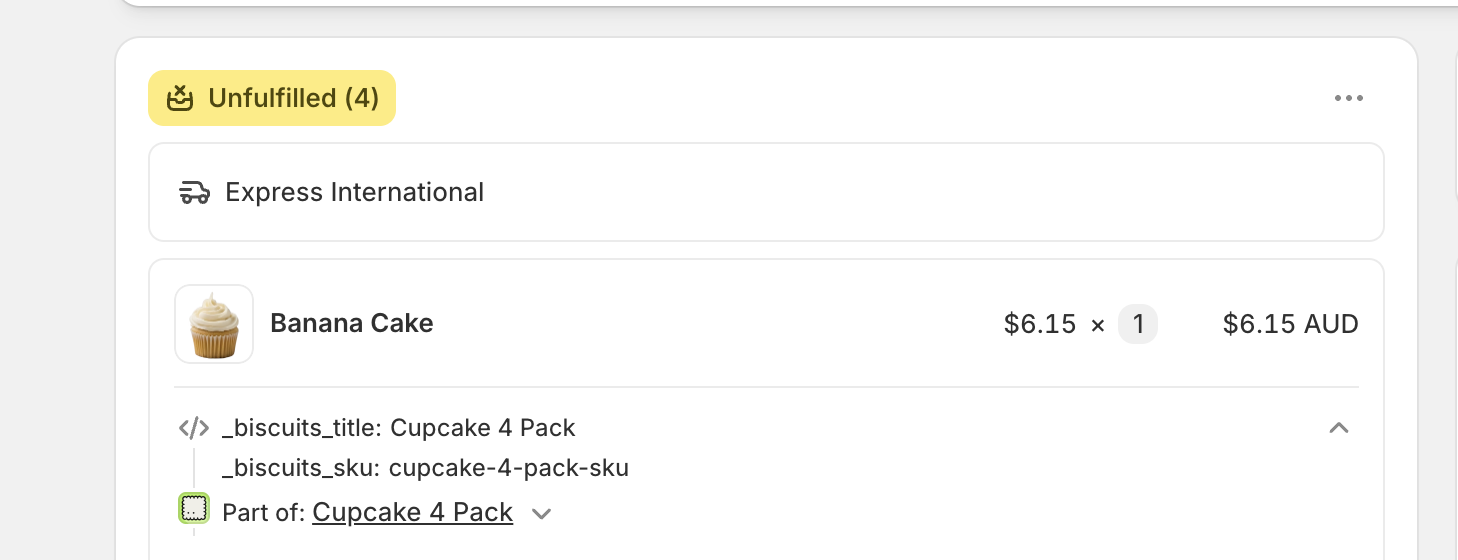
Line item properties whose names begin with an underscore (_) are treated by Shopify as system properties:
They are hidden from customers - they don't show in the cart, at checkout, on the order status page, or in customer notification emails.
They remain visible to you in the Shopify admin, on the order detail page, listed beneath each component line item.
So in your admin you'll see _biscuits_title and _biscuits_sku under each component, even though your customer never saw them. If they also appear in your theme's cart drawer and you want them hidden there, see GUIDE: How to hide underscore properties in cart.
The _biscuits_title value isn't always just the bundle name. It changes so you can tell apart multiple bundles of the same type within one order.
One bundle: the value is the bundle name, for example Mini Jam Trio.
A second identical bundle in the same order: the value gains a number suffix, for example Mini Jam Trio 2. A third becomes Mini Jam Trio 3, and so on.
A bundle line bought with quantity greater than one: the value gains a (xN) suffix, for example Mini Jam Trio (x2).
For example, a customer orders two of your 'Mini Jam Trio' bundle. The first three components show _biscuits_title = Mini Jam Trio, and the next three show _biscuits_title = Mini Jam Trio 2. Reading the property tells your fulfilment team exactly which items belong in which box. This incrementing title is the answer to the common 'which items go in which bundle?' question on multi-bundle orders.
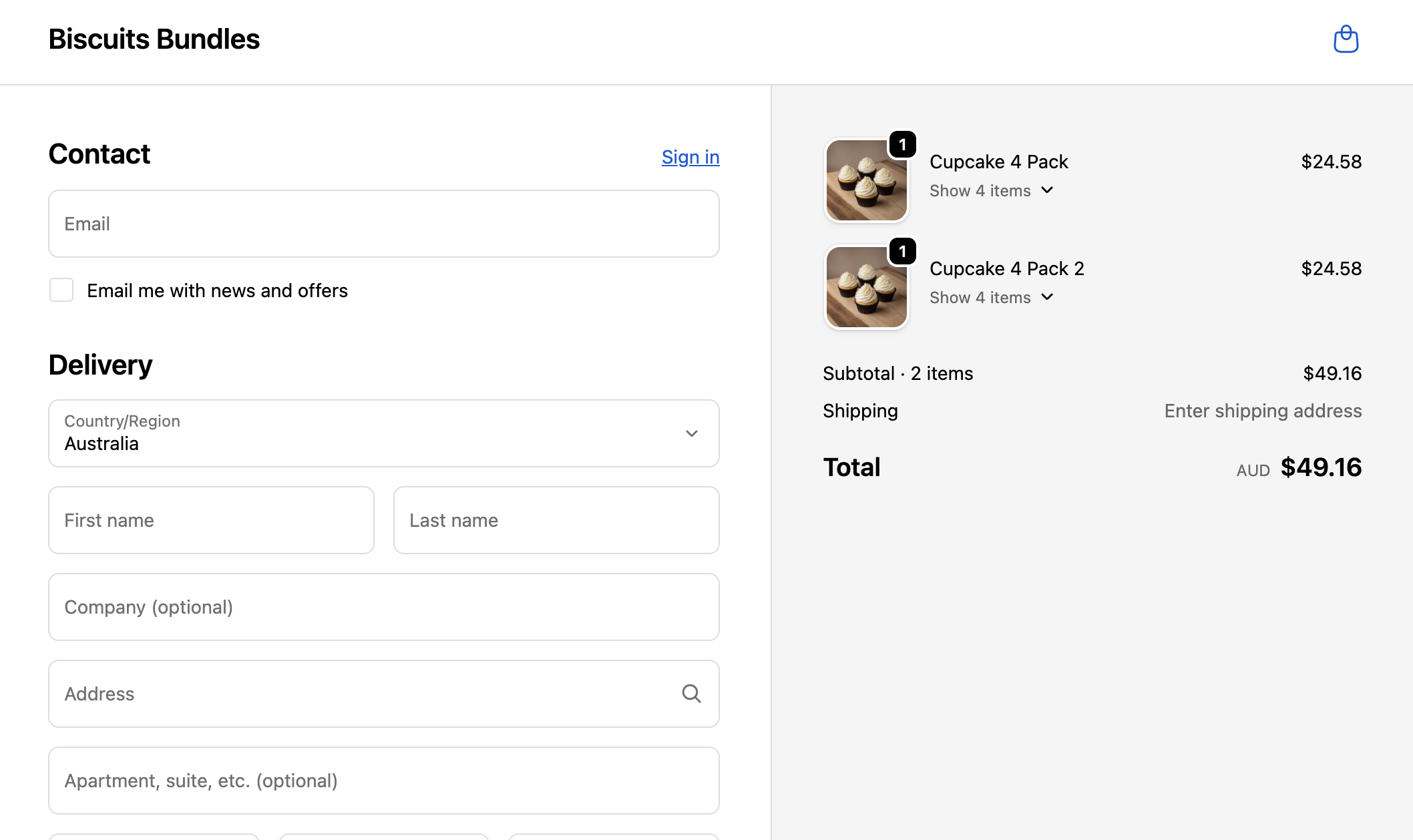
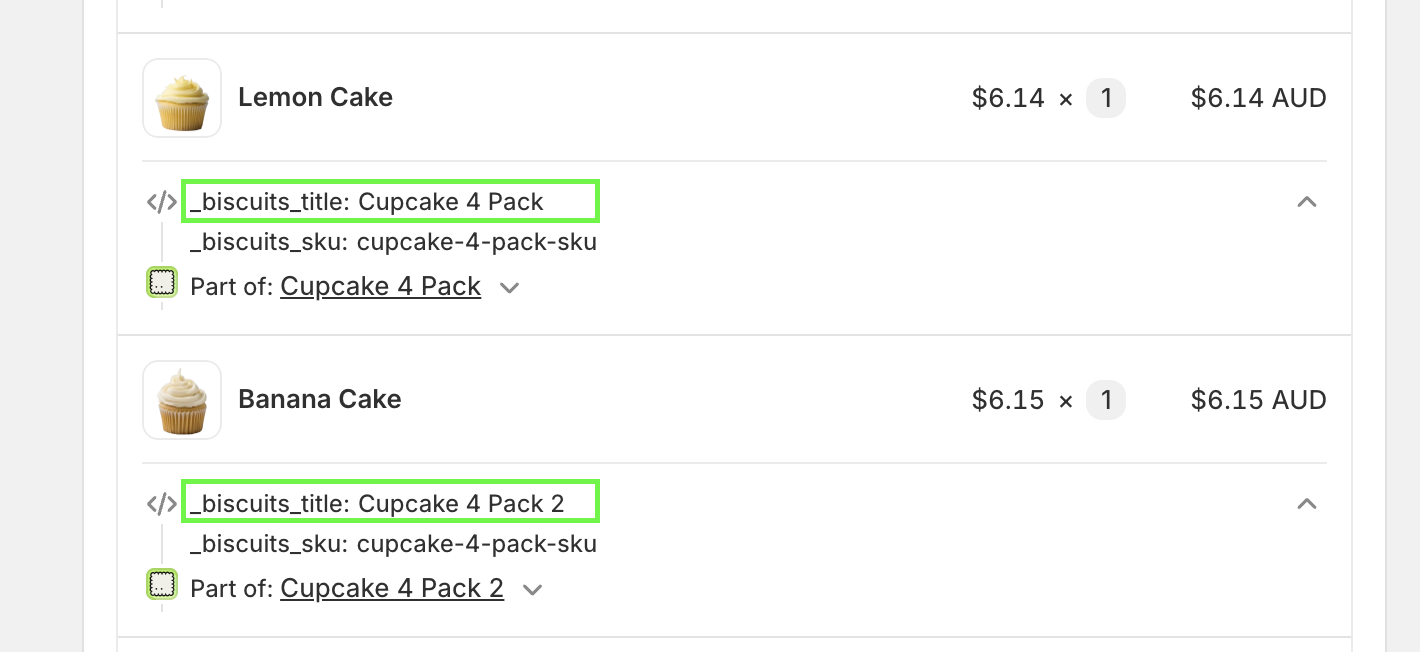
Because Biscuits uses Shopify Product Bundles, Shopify adds its own grouping on top of the line item properties. This is a separate object called a line item group, and it is easy to confuse with the _biscuits_* properties.
A line item group represents the parent bundle. Each component line item points back to its group, and the group carries the parent bundle's title (the bundle name, which powers the 'Part of <bundle>' grouping you see on the admin order page) and its custom attributes (the parent bundle's own line item properties, captured from the bundle product when it was added to cart).
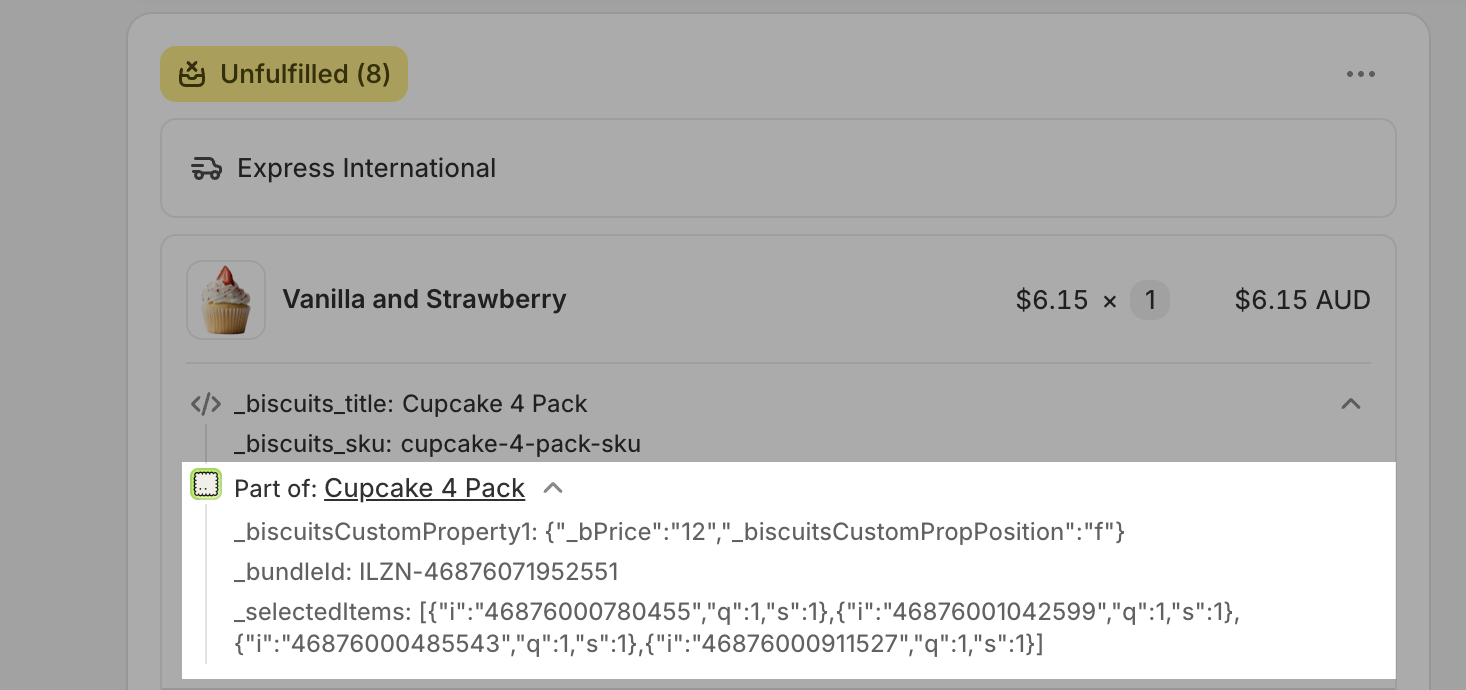
The important distinction is where each one lives and whether you can get it out:
Line item properties (on each component line item):
Set by Biscuits: _biscuits_title, _biscuits_sku, plus any properties you pass through.
Visible under each line item on the admin order page, and included by most export tools.
Reliably exportable (see below).
Line item group custom attributes (on the bundle group / parent):
Set by Shopify, from the parent bundle product.
Visible as the bundle group header in the admin; otherwise only reachable through Liquid or the GraphQL API.
Not exposed by most export tools.
In practice the bundle name appears in two places: as _biscuits_title on each component (a line item property) and as the group's title (a Shopify grouping attribute). They usually match, but they are stored differently. When you need the data in a spreadsheet, the line item property is the one you can actually export.
A localised bundle (one with Localise pricing turned on) reaches the order differently. The components still arrive as their own line items, grouped under Shopify's native bundle group, and the group carries the bundle's name with an increment when the same bundle appears more than once on an order.
What is guaranteed on every component line of a localised bundle order is a _bundleId property, in the form <token>-<bundleVariantId>. Everything after the first hyphen is the bundle parent's variant id, so components of one bundle share a value and you can group an order by it. _bundleId is a system (underscore) property, so it behaves exactly like the _biscuits_* properties above: hidden from customers, visible in your admin, exportable through Matrixify's Line: Properties column.
If you have fulfilment, export or integration logic that keys on _biscuits_title or _biscuits_sku, place a test order with a localised bundle and confirm what those lines carry before you switch a live bundle over. Matching on _bundleId works for both kinds of bundle order.
Extra line item properties added from the app's Settings page, such as the cart compare-at price workaround, are not supported on localised bundles. Custom properties collected on the bundle page still pass through when that setting is on.
See Localised bundles: pricing for Shopify Markets.
Shopify's native Orders export (Orders → Export) does not include line item properties at all, even though you can see them in the admin, and there's no option to add them. This is a long-standing Shopify limitation, not specific to Biscuits.
As a result, the native export won't contain _biscuits_title or _biscuits_sku, and it won't contain the line item group attributes either. The native export does include each component's SKU, quantity and price, so it's fine if you only need those, but for the bundle title or parent SKU you'll need a third-party export.
Matrixify can export line item properties, which is how you get _biscuits_title and _biscuits_sku out of your orders.
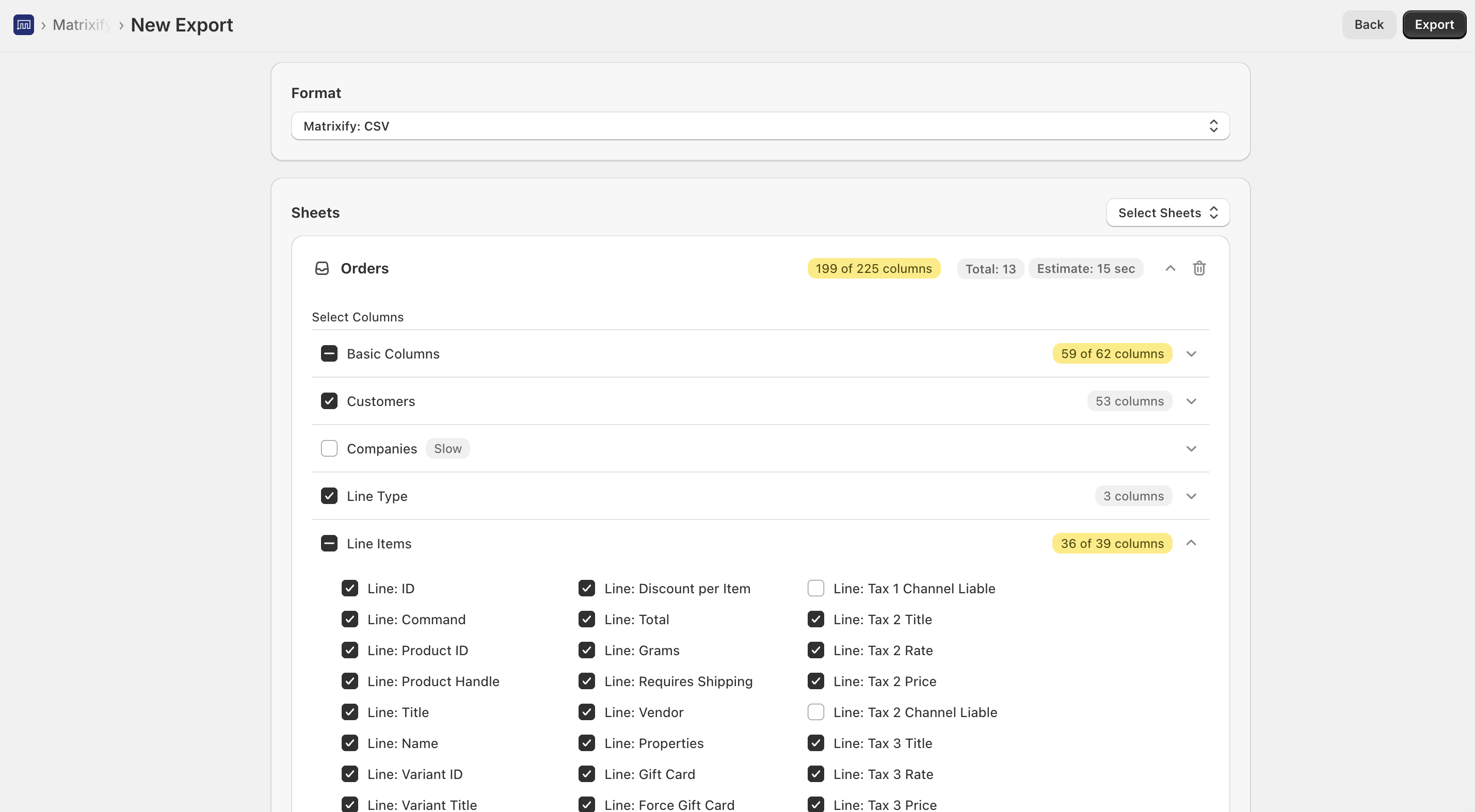
In Matrixify, click New Export and choose Orders.
Select the Orders and Line Items column groups so the export includes the line item detail.
Apply any filters you need (date range, tag, and so on). Tip: filter on the order tag Biscuits Bundles Order to export only bundle orders.
Run the export and download the file.
In the file, the Line: Properties column holds each line item's properties, one per line, including _biscuits_title and _biscuits_sku.
Each component row lists its _biscuits_title and _biscuits_sku in the Line: Properties cell, so you can group, sort or pivot your spreadsheet by bundle.
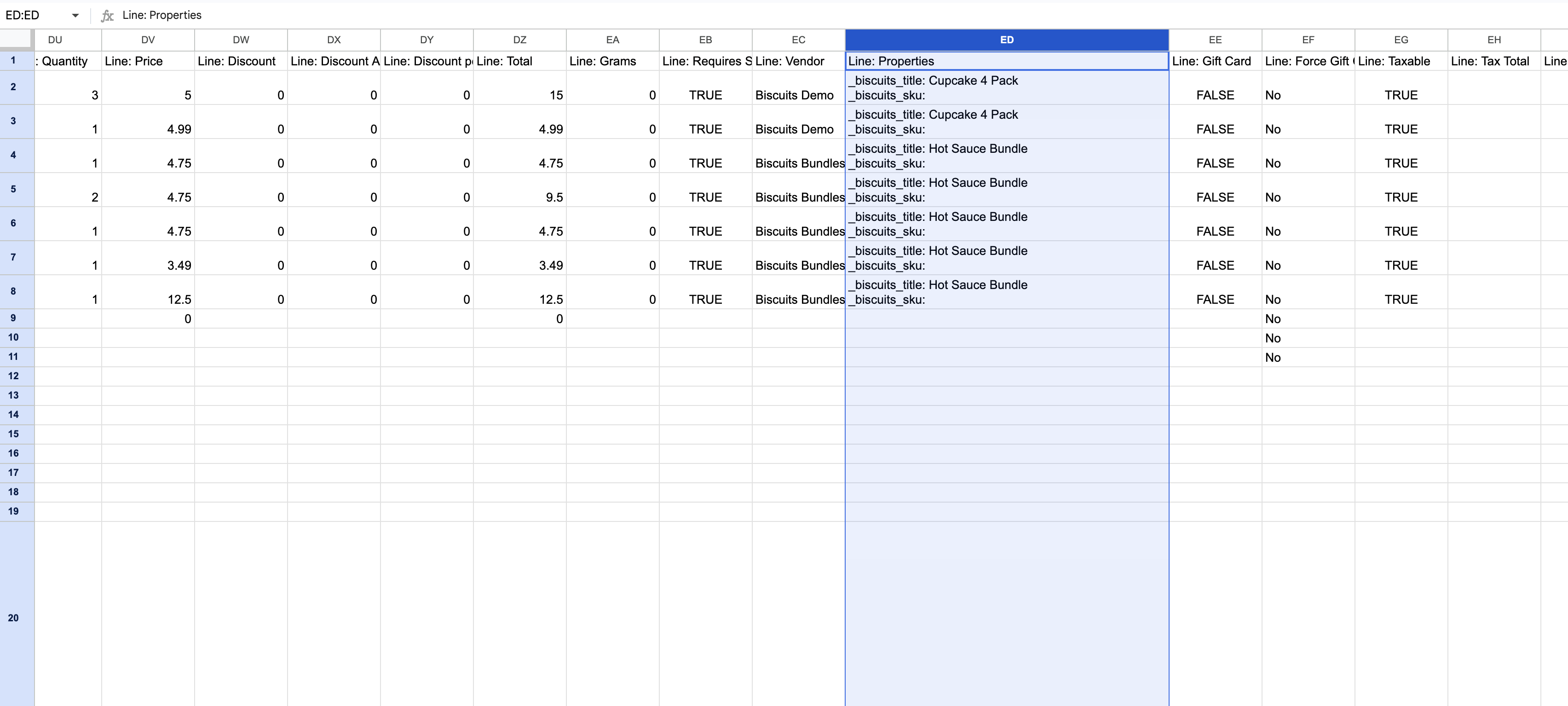
Native Shopify export carries no line item properties. Use Matrixify (or a similar export app) if you need the bundle title or parent SKU.
The line item group attributes aren't exposed as a Matrixify column. There is no 'Line: Group' field, so don't rely on Shopify's parent-bundle grouping for exports. The _biscuits_* line item properties are the dependable source for the bundle title and SKU.
Some tools filter underscore properties. Because _biscuits_title and _biscuits_sku are system (underscore) properties, a few apps or custom scripts deliberately skip underscore-prefixed properties. Matrixify includes them, but if you use another tool and don't see them, check whether it strips system properties.
The export is text, not a link to the parent. You get the bundle name and parent SKU as text values; the export does not link back to the parent bundle product record, which by design is not on the order.
_biscuits_title - bundle name on each component; gains a 2, 3… suffix for repeated identical bundles, and a (xN) suffix when the bundle line quantity is greater than one.
_biscuits_sku - parent bundle SKU on each component.
Both are system (underscore) properties: hidden from customers, visible in the admin, and exportable via Matrixify's Line: Properties column.
Shopify's line item group also holds the bundle title and attributes, but it isn't reliably exportable - use the _biscuits_* properties.
On localised bundles, every component line carries _bundleId, which groups the components of one bundle together. See "Localised bundle orders" above.
Each line item exposes both its own attributes and its bundle group:
query OrderBundleData($orderId: ID!) {
  order(id: $orderId) {
    lineItems(first: 50) {
      nodes {
        name
        sku
        quantity
        customAttributes { key value }
        lineItemGroup {
          id
          title
          customAttributes { key value }
        }
      }
    }
  }
}
A line item's customAttributes are the line item properties, including the _biscuits_* ones. Its lineItemGroup is Shopify's bundle grouping for the parent, with its own title (bundle name) and customAttributes.
Component line items expose their line item properties via line_item.properties and their bundle group via line_item.groups:
{% for line_item in line_items_in_shipment %}
  {{ line_item.title }} - {{ line_item.sku }}
  {% if line_item.properties._biscuits_sku != blank %}
    Bundle SKU: {{ line_item.properties._biscuits_sku }}
  {% endif %}
  {% if line_item.groups.size > 0 %}
    Part of: {{ line_item.groups[0].display_title }}
  {% endif %}
{% endfor %}
group.deliverable? returns false when the line item is part of a bundle (as opposed to an add-on). For a full, ready-to-use template, see GUIDE: Show bundle components grouped on your packing slip.
For a shorter overview aimed at integrations, 3PLs and export tools, see Exporting and syncing bundle orders.