Use this page to find the right fix fast.
A Biscuits bundle does not hold its own stock. Its availability is inherited from the required component products inside it, and the bundle parent product is never inventory-tracked. So when a bundle looks sold out, the cause is almost always a component product or a store setting, not the bundle itself.
Find the symptom that matches what you are seeing:
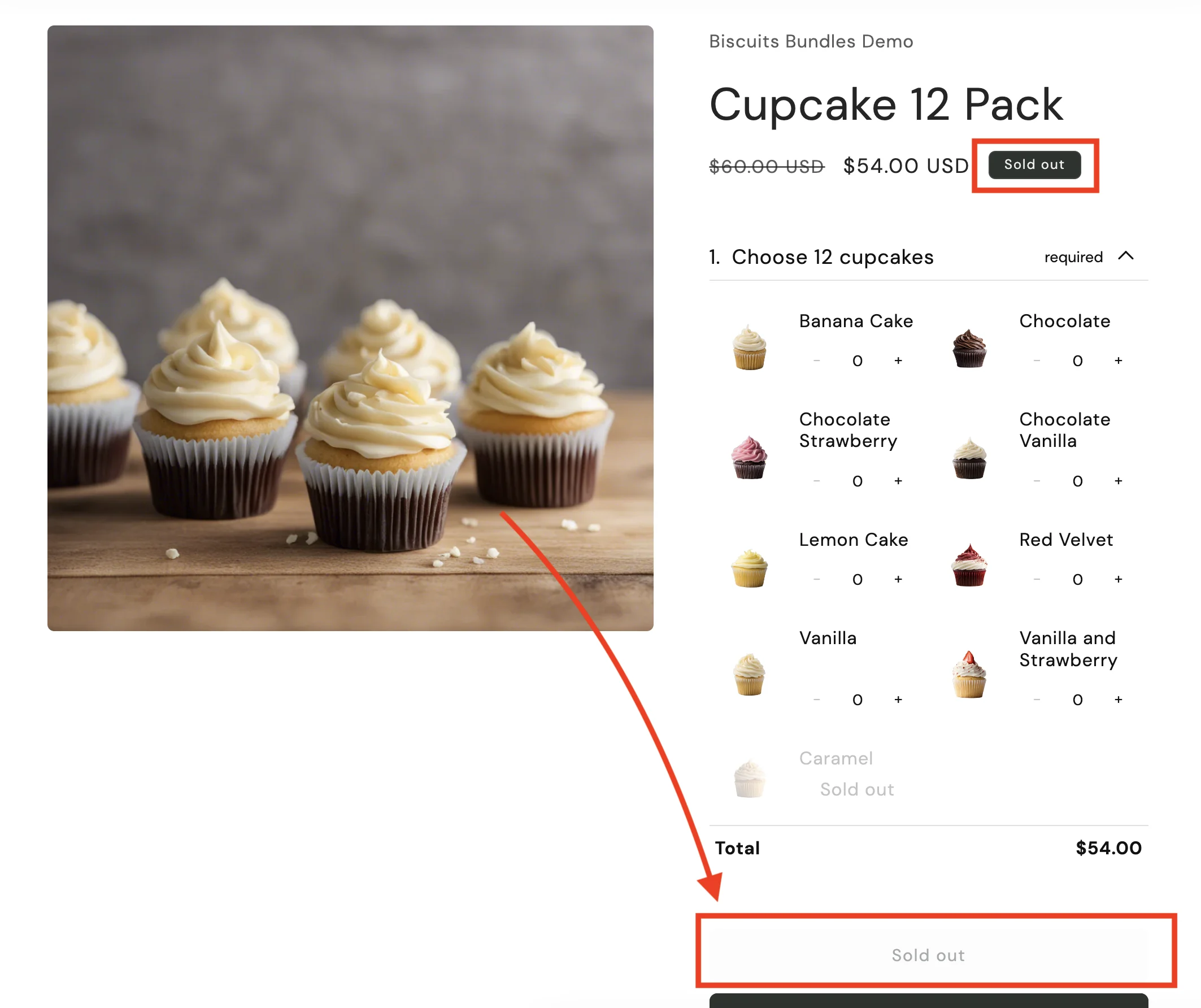
The Add to Cart button shows Sold Out for everyone, with no red error message above the form.
Go to: Bundle displaying sold out
It works for you, but a customer in another market reports it as sold out. You can test this by adding ?country= to your bundle URL, or by switching the market context in the theme editor.
Go to: Sold out for some customers (Markets, Locations, Shipping)
For example "This bundle is sold out", or "The bundle product cannot be $0".
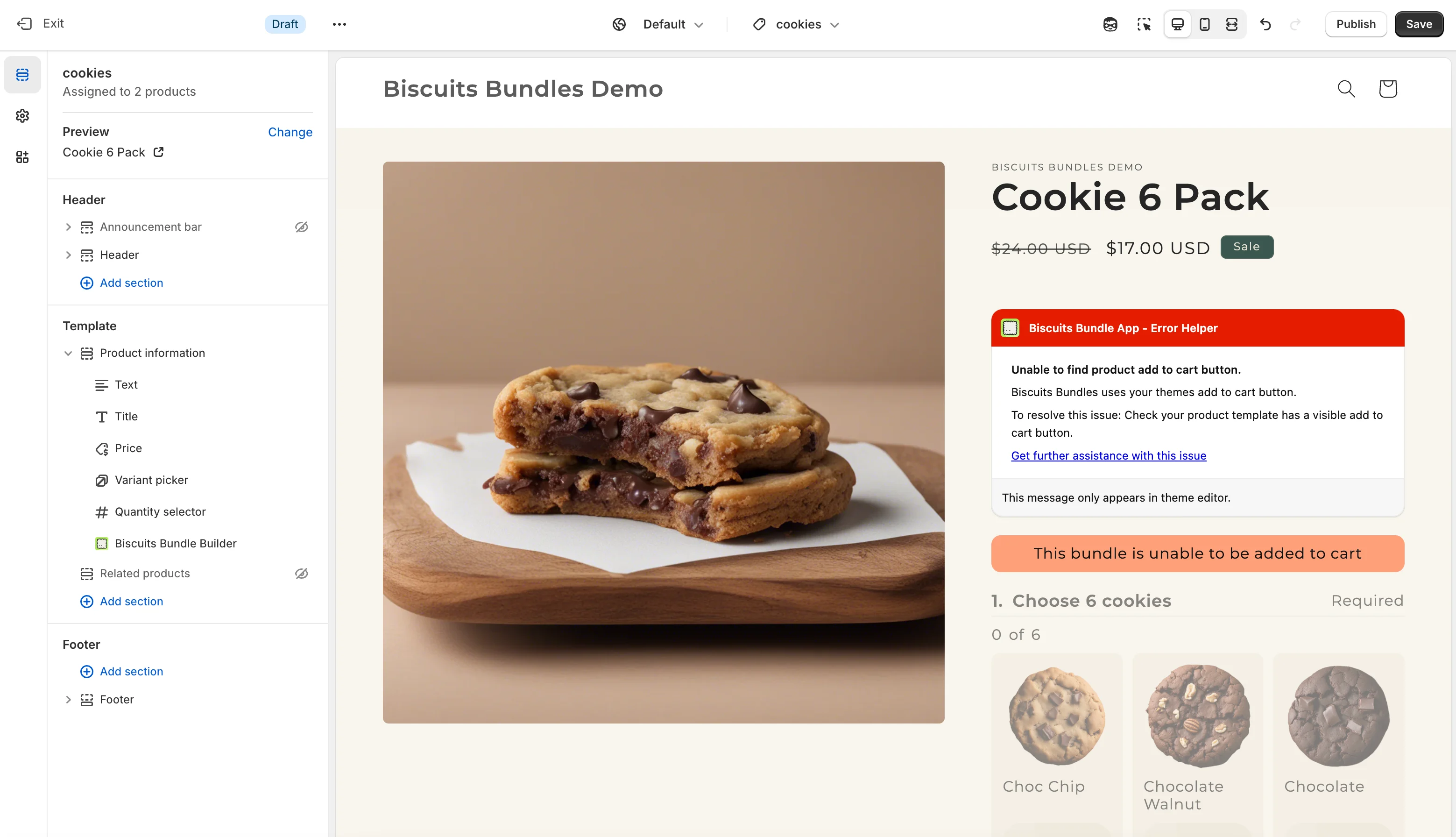
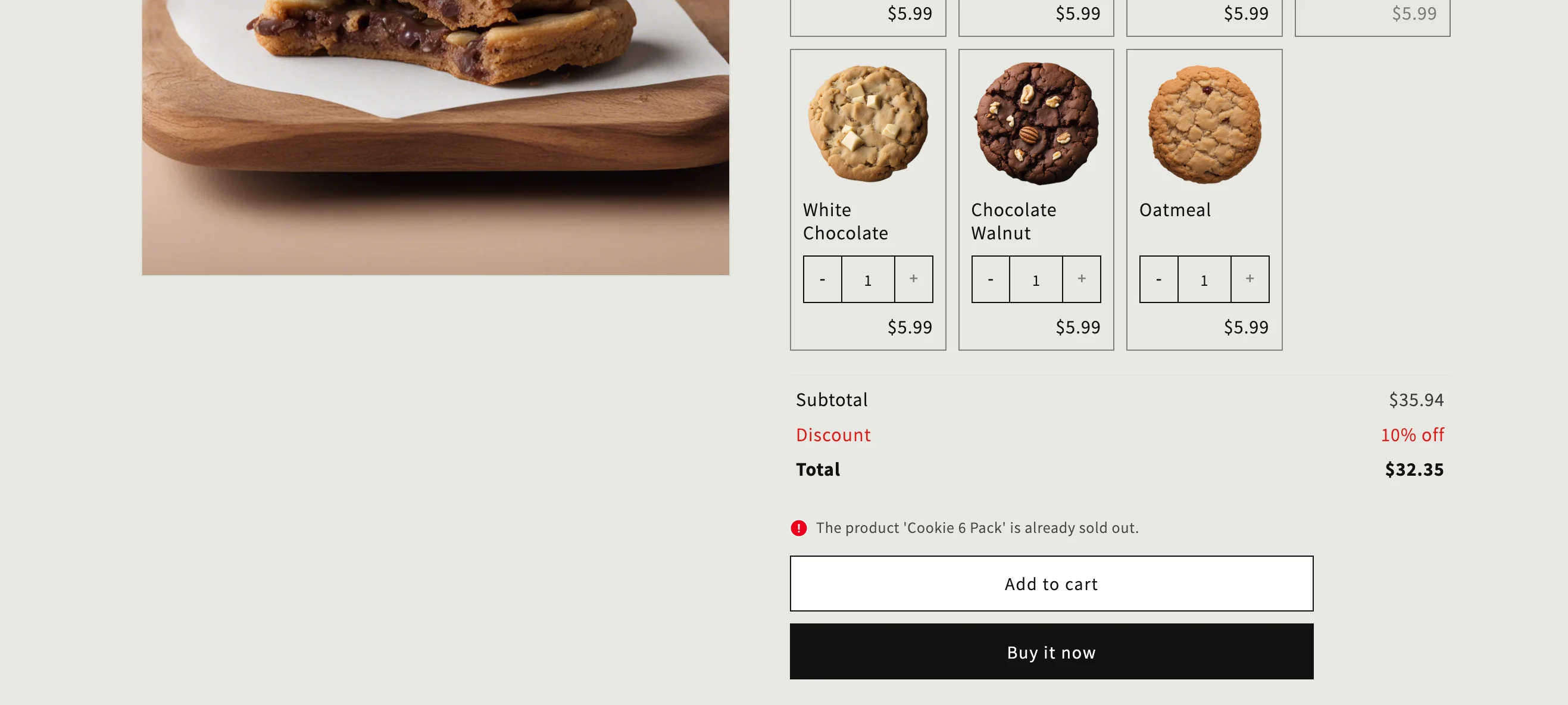
For example "cannot be added to cart", "already sold out", "cannot find variant", or the button looks faded.
Still not sure? Open the bundle in the theme editor. It shows a detailed reason for any sold-out state. See Bundle form errors for what each message means.
To understand why bundles behave this way, see How does inventory work with Product Bundles?.